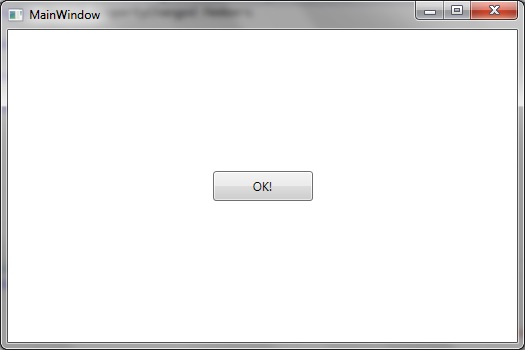
How to set the visibility of your WPF user interface item so that it may be hidden/collapsed or shown as desired
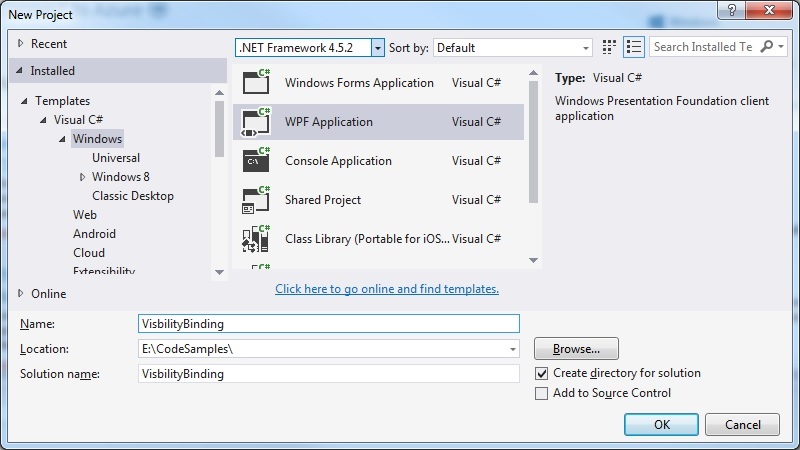
Step 1: Create a new WPF Application
Step 2: Modify the MainWindow.xaml to create a User control
Let’s keep it simple – a button:
<Window x:Class="VisbilityBinding.MainWindow"
        xmlns="http://schemas.microsoft.com/winfx/2006/xaml/presentation"
        xmlns:x="http://schemas.microsoft.com/winfx/2006/xaml"
        xmlns:d="http://schemas.microsoft.com/expression/blend/2008"
        xmlns:mc="http://schemas.openxmlformats.org/markup-compatibility/2006"
        xmlns:local="clr-namespace:VisbilityBinding"
        mc:Ignorable="d"
        Title="MainWindow" Height="350" Width="525">
    <Grid>
        <Button
            Width="100" Height="30"
            Content="OK!" />
    </Grid>
</Window>
Step 3: Create the ViewModel classes
This is primarily to implement the INotifyPropertyChanged members
BaseViewModel.cs
using System;
using System.ComponentModel;
using System.Diagnostics;

namespace VisibilityBinding
{
   public abstract class BaseViewModel : INotifyPropertyChanged
   {
        #region INotifyPropertyChanged Members

        public event PropertyChangedEventHandler PropertyChanged;

        #endregion

        protected void OnPropertyChanged(string propertyName)
        {
            VerifyPropertyName(propertyName);
            PropertyChangedEventHandler handler = PropertyChanged;
            if (handler != null)
            {
                handler(this, new PropertyChangedEventArgs(propertyName));
            }
        }

        [Conditional("DEBUG")]
        private void VerifyPropertyName(string propertyName)
        {
            if (TypeDescriptor.GetProperties(this)[propertyName] == null)
                throw new ArgumentNullException(GetType().Name + " does not contain property: " + propertyName);
        }
   }
}
MainWindowViewModel.cs
namespace VisibilityBinding
{
   public class MainWindowViewModel : BaseViewModel
   {
      private bool _hasInstalled;

      public MainWindowViewModel()
      {
         HasInstalled = false;
      }

      public bool HasInstalled
      {
         get { return _hasInstalled; }
         private set
         {
            _hasInstalled = value;
            OnPropertyChanged("HasInstalled");
         }
      }
   }
}
Step 4: Update the MainWindow.xaml to bind to this visibility property
Nexct up is to update the MainWindow.xaml by including the DataContext, Visibility converter etc:
<Window x:Class="BindingVisibility.MainWindow"
        xmlns="http://schemas.microsoft.com/winfx/2006/xaml/presentation"
        xmlns:x="http://schemas.microsoft.com/winfx/2006/xaml"
        xmlns:d="http://schemas.microsoft.com/expression/blend/2008"
        xmlns:mc="http://schemas.openxmlformats.org/markup-compatibility/2006"
        xmlns:local="clr-namespace:BindingVisibility"
        mc:Ignorable="d"
        Title="MainWindow" Height="350" Width="525"
        d:DataContext="{d:DesignInstance Type=local:MainWindowViewModel, IsDesignTimeCreatable=True}">

    <Window.DataContext>
        <local:MainWindowViewModel/>
    </Window.DataContext>

    <Window.Resources >
        <BooleanToVisibilityConverter x:Key="BoolToVisibilityConverter" />
    </Window.Resources>

    <Grid>
        <Button
            Visibility="{Binding HasInstalled, Converter={StaticResource BoolToVisibilityConverter}}"
            Width="100" Height="30"
            Content="OK!" />
    </Grid>
</Window>
Step 5: Try it!
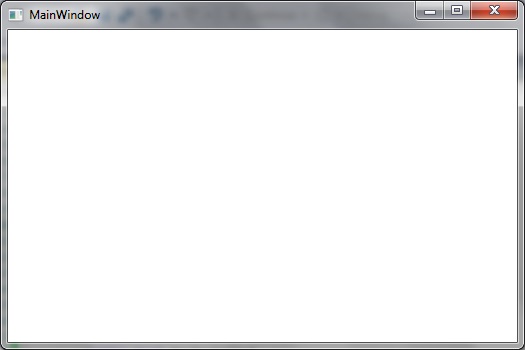
So that when switch HasInstalled = false the OK button disappears:
And by reinstating HasInstalled = true the OK button is visible again: