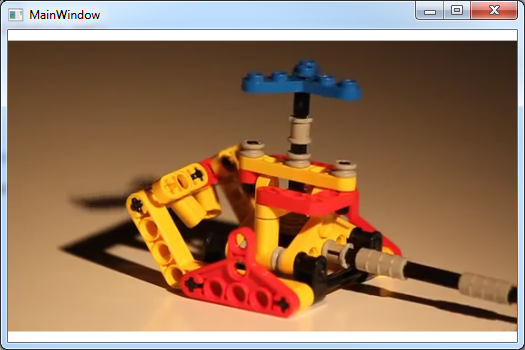
Essentially the same as these instructions, but using a purely MVVM approach and without the additional stop / start / pause etc buttons – the application just ‘sees’ the MP4 media file it needs to play and plays it upon startup.
Step 1: Create a new WPF Application
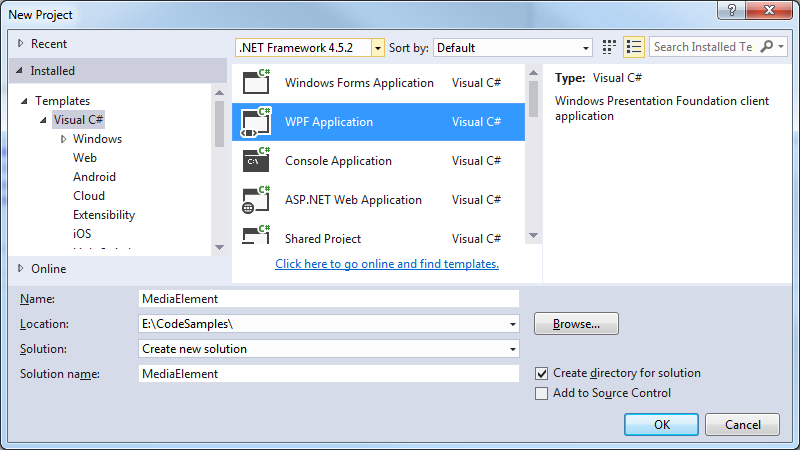
Step 2: Create the Main Window ViewModel classes
Add the following classes to your project:
MainWindowViewModel.cs
namespace MediaElement
{
    public class MainWindowViewModel : BaseViewModel
    {
        private string _url;

        public MainWindowViewModel()
        {
            Url = "E:\\temp\\SampleMp4File.mp4";
        }

        public string Url
        {
            get { return _url; }
            set
            {
                if (_url == value) return;
                _url = value;
                OnPropertyChanged("Url");
            }
        }
    }
}
BaseViewModel.cs
using System;
using System.ComponentModel;
using System.Diagnostics;

namespace MediaElement
{
    public abstract class BaseViewModel : INotifyPropertyChanged
    {
        #region INotifyPropertyChanged Members

        public event PropertyChangedEventHandler PropertyChanged;

        #endregion

        protected void OnPropertyChanged(string propertyName)
        {
            VerifyPropertyName(propertyName);
            var handler = PropertyChanged;
            if (handler != null)
                handler(this, new PropertyChangedEventArgs(propertyName));
        }

        protected void OnPropertyChanged(int propertyValue)
        {
            VerifyPropertyName(propertyValue);
            var handler = PropertyChanged;
            if (handler != null)
                handler(this, new PropertyChangedEventArgs(propertyValue.ToString()));
        }

        [Conditional("DEBUG")]
        private void VerifyPropertyName(string propertyName)
        {
            if (TypeDescriptor.GetProperties(this)[propertyName] == null)
                throw new ArgumentNullException(GetType().Name + " does not contain property: " + propertyName);
        }

        [Conditional("DEBUG")]
        private void VerifyPropertyName(int propertyValue)
        {
            if (TypeDescriptor.GetProperties(this)[propertyValue] == null)
                throw new ArgumentNullException(GetType().Name + " does not contain property: " + propertyValue);
        }
    }
}
Step 3: Add infrastructure to handle the even raising etc.
Just add the following classes to your project:
EventArgs.cs
using System;

namespace MediaElement
{
    public class EventArgs<T> : EventArgs
    {
        public EventArgs(T value)
        {
            Value = value;
        }

        public T Value { get; private set; }
    }
}
EventRaiser.cs
using System;

namespace MediaElement
{
    public static class EventRaiser
    {
        public static void Raise(this EventHandler handler, object sender)
        {
            if (handler != null)
                handler(sender, EventArgs.Empty);
        }

        public static void Raise<T>(this EventHandler<EventArgs<T>> handler, object sender, T value)
        {
            if (handler != null)
                handler(sender, new EventArgs<T>(value));
        }

        public static void Raise<T>(this EventHandler<T> handler, object sender, T value) where T : EventArgs
        {
            if (handler != null)
                handler(sender, value);
        }

        public static void Raise<T>(this EventHandler<EventArgs<T>> handler, object sender, EventArgs<T> value)
        {
            if (handler != null)
                handler(sender, value);
        }
    }
}
RelayCommand.cs
using System;
using System.Windows.Input;

namespace MediaElement
{
    public class RelayCommand<T> : ICommand
    {
        private readonly Predicate<T> _canExecute;
        private readonly Action<T> _execute;

        public RelayCommand(Action<T> execute)
            : this(execute, null)
        {
            _execute = execute;
        }

        public RelayCommand(Action<T> execute, Predicate<T> canExecute)
        {
            if (execute == null)
                throw new ArgumentNullException("execute");
            _execute = execute;
            _canExecute = canExecute;
        }

        public bool CanExecute(object parameter)
        {
            return (_canExecute == null) || _canExecute((T) parameter);
        }

        public void Execute(object parameter)
        {
            _execute((T) parameter);
        }

        public event EventHandler CanExecuteChanged
        {
            add { CommandManager.RequerySuggested += value; }
            remove { CommandManager.RequerySuggested -= value; }
        }
    }

    public class RelayCommand : ICommand
    {
        private readonly Predicate<object> _canExecute;
        private readonly Action<object> _execute;

        public RelayCommand(Action<object> execute)
            : this(execute, null)
        {
            _execute = execute;
        }

        public RelayCommand(Action<object> execute, Predicate<object> canExecute)
        {
            if (execute == null)
                throw new ArgumentNullException("execute");
            _execute = execute;
            _canExecute = canExecute;
        }

        public bool CanExecute(object parameter)
        {
            return (_canExecute == null) || _canExecute(parameter);
        }

        public void Execute(object parameter)
        {
            _execute(parameter);
        }

        // Ensures WPF commanding infrastructure asks all RelayCommand objects whether their
        // associated views should be enabled whenever a command is invoked
        public event EventHandler CanExecuteChanged
        {
            add
            {
                CommandManager.RequerySuggested += value;
                CanExecuteChangedInternal += value;
            }
            remove
            {
                CommandManager.RequerySuggested -= value;
                CanExecuteChangedInternal -= value;
            }
        }

        private event EventHandler CanExecuteChangedInternal;

        public void RaiseCanExecuteChanged()
        {
            CanExecuteChangedInternal.Raise(this);
        }
    }
}
Step 4: Embed the MediaElement control in your MainWindow.xaml
<Window x:Class="MediaElement.MainWindow"
        xmlns="http://schemas.microsoft.com/winfx/2006/xaml/presentation"
        xmlns:x="http://schemas.microsoft.com/winfx/2006/xaml"
        xmlns:d="http://schemas.microsoft.com/expression/blend/2008"
        xmlns:mc="http://schemas.openxmlformats.org/markup-compatibility/2006"
        xmlns:local="clr-namespace:MediaElement"
        mc:Ignorable="d"
        Title="MainWindow" Height="350" Width="525">
    <Window.DataContext>
        <local:MainWindowViewModel/>
    </Window.DataContext>

    <Grid>
        <Grid.RowDefinitions>
            <RowDefinition Height="320*"/>
        </Grid.RowDefinitions>

        <MediaElement
            Grid.RowSpan="1"
            Source="{Binding Url}"
            LoadedBehavior="Play"/>
    </Grid>
</Window>
Step 5: Run it!