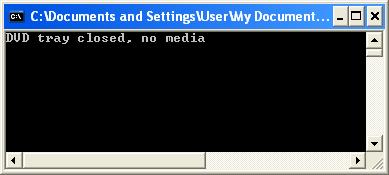
A short and to-the-point C++ recipe for determining the status of your PC / laptop DVD.
To study this area in more depth, follow this link for more information, which is where I got much of this inspiration for this code snippet. It works.
http://ws0.org/windows-how-to-get-the-tray-status-of-the-optical-drive/
Full code listing
// http://ws0.org/windows-how-to-get-the-tray-status-of-the-optical-drive/

#include <Windows.h>
#include <string>
#include <iostream>

#define SCSI_IOCTL_DATA_OUT             0 // Give data to SCSI device (e.g. for writing)
#define SCSI_IOCTL_DATA_IN              1 // Get data from SCSI device (e.g. for reading)
#define SCSI_IOCTL_DATA_UNSPECIFIED     2 // No data (e.g. for ejecting)

#define MAX_SENSE_LEN 18 //Sense data max length
#define IOCTL_SCSI_PASS_THROUGH_DIRECT  0x4D014

typedef	unsigned short	USHORT;
typedef	unsigned char	UCHAR;
typedef	unsigned long	ULONG;
typedef void*           PVOID;

typedef struct _SCSI_PASS_THROUGH_DIRECT
{
	USHORT Length;
	UCHAR ScsiStatus;
	UCHAR PathId;
	UCHAR TargetId;
	UCHAR Lun;
	UCHAR CdbLength;
	UCHAR SenseInfoLength;
	UCHAR DataIn;
	ULONG DataTransferLength;
	ULONG TimeOutValue;
	PVOID DataBuffer;
	ULONG SenseInfoOffset;
	UCHAR Cdb[16];
}
SCSI_PASS_THROUGH_DIRECT, *PSCSI_PASS_THROUGH_DIRECT;

typedef struct _SCSI_PASS_THROUGH_DIRECT_AND_SENSE_BUFFER
{
	SCSI_PASS_THROUGH_DIRECT sptd;
	UCHAR SenseBuf[MAX_SENSE_LEN];
}
T_SPDT_SBUF;


// Get the drive letter of the first DVD device encountered
std::string GetDvdDriveLetter()
{
	std::string dvdDriveLetter = "";

	DWORD drives = GetLogicalDrives();
	DWORD dwSize = MAX_PATH;
	char szLogicalDrives[MAX_PATH] = { 0 };
	DWORD dwResult = GetLogicalDriveStrings( dwSize, szLogicalDrives );

	if ( dwResult > 0 && dwResult <= MAX_PATH )
	{
		char* szSingleDrive = szLogicalDrives;

		while( *szSingleDrive )
		{
			const UINT driveType = GetDriveType( szSingleDrive );

			if ( driveType == 5 )
			{
				dvdDriveLetter = szSingleDrive;
				dvdDriveLetter = dvdDriveLetter.substr( 0, 2 );
				break;
			}

			// Get the next drive
			szSingleDrive += strlen(szSingleDrive) + 1;
		}
	}

	return dvdDriveLetter;
}

int GetDvdStatus()
{
	const std::string dvdDriveLetter = GetDvdDriveLetter();

	if ( dvdDriveLetter.empty() ) return -1;

	const std::string strDvdPath =  "\\\\.\\"
            + dvdDriveLetter;

	HANDLE hDevice;               // handle to the drive to be examined
	int iResult = -1;			  // results flag
	ULONG ulChanges = 0;
	DWORD dwBytesReturned;
	T_SPDT_SBUF sptd_sb;          //SCSI Pass Through Direct variable.
	byte DataBuf[ 8 ];            //Buffer for holding data to/from drive.

	hDevice = CreateFile( strDvdPath.c_str(),               // drive
						  0,                                // no access to the drive
						  FILE_SHARE_READ,                  // share mode
						  NULL,                             // default security attributes
						  OPEN_EXISTING,                    // disposition
						  FILE_ATTRIBUTE_READONLY,          // file attributes
						  NULL);

	// If we cannot access the DVD drive
	if (hDevice == INVALID_HANDLE_VALUE)
	{
		return -1;
	}

	// A check to see determine if a DVD has been inserted into the drive only when iResult = 1.
	// This will do it more quickly than by sending target commands to the SCSI
	iResult = DeviceIoControl((HANDLE) hDevice,              // handle to device
								IOCTL_STORAGE_CHECK_VERIFY2, // dwIoControlCode
								NULL,                        // lpInBuffer
								0,                           // nInBufferSize
								&ulChanges,                  // lpOutBuffer
								sizeof(ULONG),               // nOutBufferSize
								&dwBytesReturned ,           // number of bytes returned
								NULL );                      // OVERLAPPED structure

	CloseHandle( hDevice );

	// Don't request the tray status as we often don't need it
	if( iResult == 1 )  return 2;

	hDevice = CreateFile( strDvdPath.c_str(),
		                  GENERIC_READ | GENERIC_WRITE,
						  FILE_SHARE_READ | FILE_SHARE_WRITE,
						  NULL,
						  OPEN_EXISTING,
						  FILE_ATTRIBUTE_READONLY,
						  NULL);

	if (hDevice == INVALID_HANDLE_VALUE)
	{
		return -1;
	}

	sptd_sb.sptd.Length = sizeof( SCSI_PASS_THROUGH_DIRECT );
	sptd_sb.sptd.PathId = 0;
	sptd_sb.sptd.TargetId = 0;
	sptd_sb.sptd.Lun = 0;
	sptd_sb.sptd.CdbLength = 10;
	sptd_sb.sptd.SenseInfoLength = MAX_SENSE_LEN;
	sptd_sb.sptd.DataIn = SCSI_IOCTL_DATA_IN;
	sptd_sb.sptd.DataTransferLength = sizeof(DataBuf);
	sptd_sb.sptd.TimeOutValue = 2;
	sptd_sb.sptd.DataBuffer = (PVOID) &( DataBuf );
	sptd_sb.sptd.SenseInfoOffset = sizeof( SCSI_PASS_THROUGH_DIRECT );
	sptd_sb.sptd.Cdb[ 0 ]  = 0x4a;
	sptd_sb.sptd.Cdb[ 1 ]  = 1;
	sptd_sb.sptd.Cdb[ 2 ]  = 0;
	sptd_sb.sptd.Cdb[ 3 ]  = 0;
	sptd_sb.sptd.Cdb[ 4 ]  = 0x10;
	sptd_sb.sptd.Cdb[ 5 ]  = 0;
	sptd_sb.sptd.Cdb[ 6 ]  = 0;
	sptd_sb.sptd.Cdb[ 7 ]  = 0;
	sptd_sb.sptd.Cdb[ 8 ]  = 8;
	sptd_sb.sptd.Cdb[ 9 ]  = 0;
	sptd_sb.sptd.Cdb[ 10 ] = 0;
	sptd_sb.sptd.Cdb[ 11 ] = 0;
	sptd_sb.sptd.Cdb[ 12 ] = 0;
	sptd_sb.sptd.Cdb[ 13 ] = 0;
	sptd_sb.sptd.Cdb[ 14 ] = 0;
	sptd_sb.sptd.Cdb[ 15 ] = 0;

	ZeroMemory(DataBuf, 8);
	ZeroMemory(sptd_sb.SenseBuf, MAX_SENSE_LEN);

	//Send the command to drive - request tray status for drive
	iResult = DeviceIoControl((HANDLE) hDevice,
		                       IOCTL_SCSI_PASS_THROUGH_DIRECT,
							   (PVOID)&sptd_sb,
							   (DWORD)sizeof(sptd_sb),
							   (PVOID)&sptd_sb,
							   (DWORD)sizeof(sptd_sb),
							   &dwBytesReturned,
							   NULL);

	CloseHandle(hDevice);

	if(iResult)
	{
		if (DataBuf[5] == 0 ) iResult = 0;        // DVD tray closed
		else if( DataBuf[5] == 1 ) iResult = 1;   // DVD tray open
		else return iResult =2;                   // DVD tray closed, media present
	}

	return iResult;
}

int main()
{
	// Uses the following information to obtain the status of a DVD/CD-ROM drive:
	// 1. GetLogicalDriveStrings() to list all logical drives
	// 2. GetDriveType() to obtain the type of drive
	// 3. DeviceIoControl() to obtain the device status
	//
	switch( GetDvdStatus() )
	{
	case 0:
		std::cout << "DVD tray closed, no media" << std::endl;
		break;
	case 1:
		std::cout << "DVD tray open" << std::endl;
		break;
	case 2:
		std::cout << "DVD tray closed, media present" << std::endl;
		break;
	default:
		std::cout << "Drive not ready" << std::endl;
		break;
	}

	return 0;
}
Example output: