
Some instructions on how to get you set up and unit testing your .NET code quickly and easily using NSubstitute.
1. Download NSubstitute
Obtain NSubstitute from the following download link:
https://github.com/nsubstitute/NSubstitute/downloads
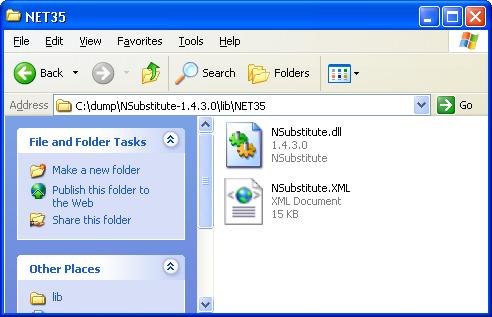
And extract it to a location of your choice. It is basically a dll file which gets referenced in your Visual Studio .NET project:
2. Create your Visual Studio project
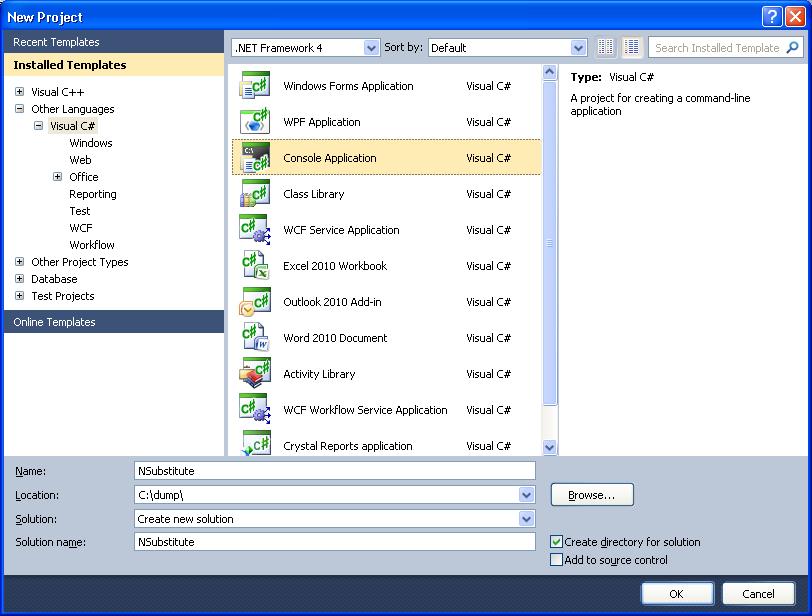
As an easy example we will start with a Console Application:
3. Write the sample code
This is our main program.cs code that implements the unit testing:
using System;
using System.Collections.Generic;
using System.Linq;
using System.Text;
using System.Diagnostics;
using NSubstitute;

namespace NSubstitute
{
    class Program
    {
        class Calc : ICalc
        {
            public int Add(int a, int b)
            {
                return a + b;
            }

            public string Mode { get; set; }

            public event EventHandler PoweringUp;
        }

        static void Main(string[] args)
        {
            var calculator = Substitute.For<ICalc>();
            calculator.Add(1, 2).Returns(3);
            calculator.Mode.Returns("DEC");

            calculator.Add(1, 2);
            calculator.Received(1).Add(1, 2);
            calculator.DidNotReceive().Add(5, 7);

            Debug.Assert(calculator.Add(1, 2) == 3);
            Debug.Assert(calculator.Mode == "DEC");

            bool eventRaised = false;
            calculator.PoweringUp += (sender, arguments) => eventRaised = true;
            calculator.PoweringUp += Raise.Event();
            Debug.Assert(eventRaised == true);
        }
    }
}
And this is the public interface, ICalc, used by the main code:
using System;
using System.Collections.Generic;
using System.Linq;
using System.Text;

namespace NSubstitute
{
    public interface ICalc
    {
        int Add(int a, int b);
        string Mode { get; set; }
        event EventHandler PoweringUp;
    }
}
4. Set the project Reference properties.
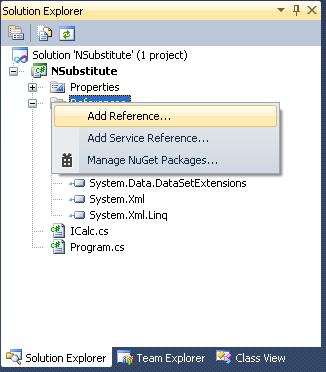
Right-click your project folder and select References:
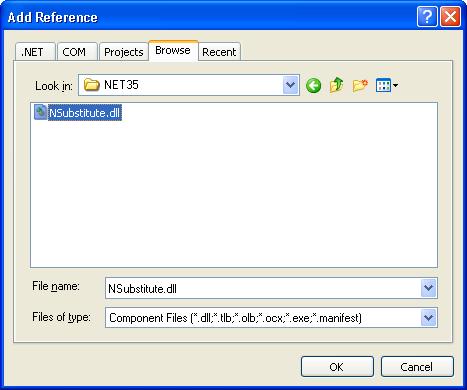
Select the Browse tab and seek out the location of the NSubstitute dll you have extracted and downloaded:
And that should be all there is too it!
Testing your .NET code then becomes a simple matter of making calls to Substitute eg
var calculator = Substitute.For<ICalc>();

