As John Meyer states:
“The goal of a reset stylesheet is to reduce browser inconsistencies in things like default line heights, margins and font sizes of headings, and so on.”
I am using this pretty much as is. The only difference is that I have also deined my own style for “h1” styles heading, using 40px font size and red colouring:
reset-css.css
/* http://meyerweb.com/eric/tools/css/reset/
   v2.0 | 20110126
   License: none (public domain)
*/

html, body, div, span, applet, object, iframe, h1, h2, h3, h4, h5, h6, p, blockquote, pre,
a, abbr, acronym, address, big, cite, code, del, dfn, em, img, ins, kbd, q, s, samp,
small, strike, strong, sub, sup, tt, var, b, u, i, center,
dl, dt, dd, ol, ul, li, fieldset, form, label, legend,
table, caption, tbody, tfoot, thead, tr, th, td, article, aside, canvas, details, embed,
figure, figcaption, footer, header, hgroup, menu, nav, output, ruby, section, summary,
time, mark, audio, video {
    margin: 0;
    padding: 0;
    border: 0;
    font-size: 100%;
    font: inherit;
    vertical-align: baseline;
}
/* HTML5 display-role reset for older browsers */
article, aside, details, figcaption, figure,
footer, header, hgroup, menu, nav, section {
    display: block;
}
body {
    line-height: 1;
}
ol, ul {
    list-style: none;
}
blockquote, q {
    quotes: none;
}
blockquote:before, blockquote:after,
q:before, q:after {
    content: '';
    content: none;
}
table {
    border-collapse: collapse;
    border-spacing: 0;
}
h1 {
    font-size:40px;
    color:red
}
The html contains the reference to the css file we have defined as shown:
example.html
<!DOCTYPE html>
<html>
    <head>
        <link href="css-reset.css" rel="stylesheet" type="text/css" media="screen">
    </head>

    <body>
        <h1>Hello World!</h1>
        <p>This paragraph is styled with CSS.</p>
    </body>
</html>
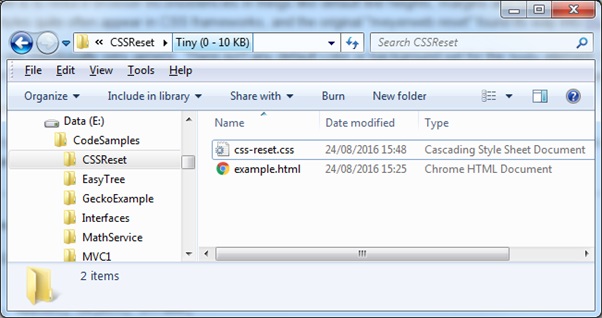
To demonstrate this example I place the two files (html + css) in the same folder.
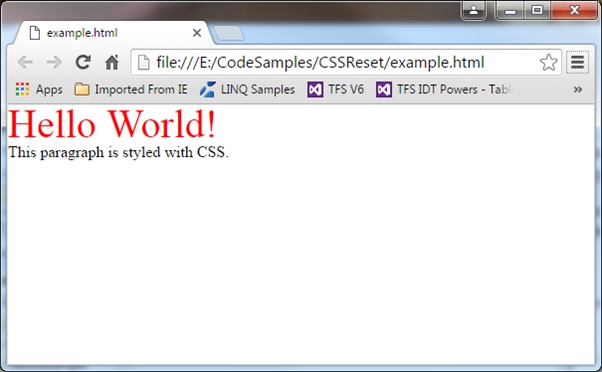
To verify that the CSS styles have been applied I open the example.html file in a web browser as shown: