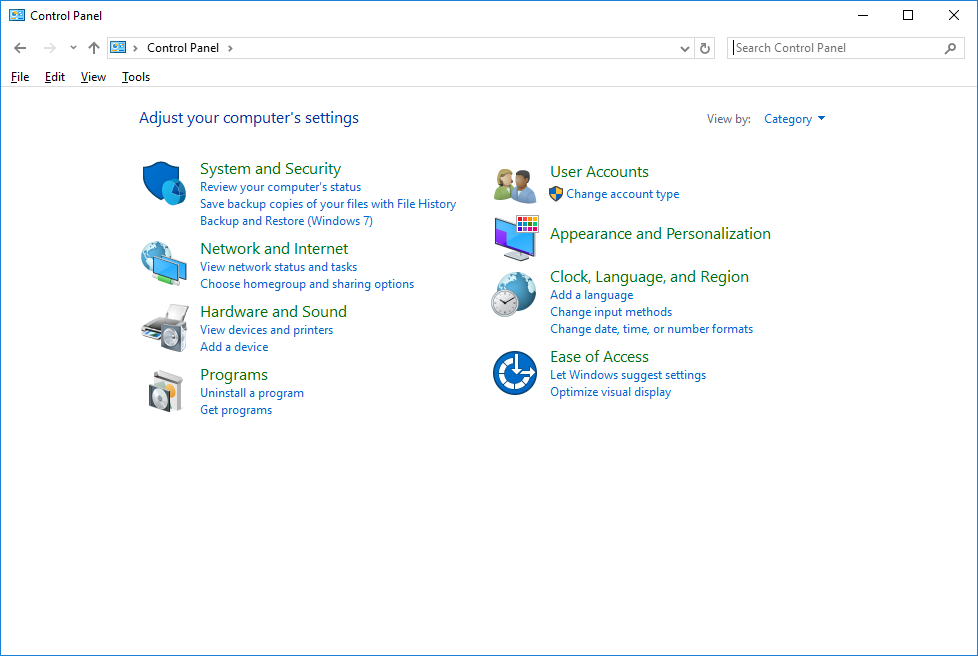
Step 1: Open Control Panel
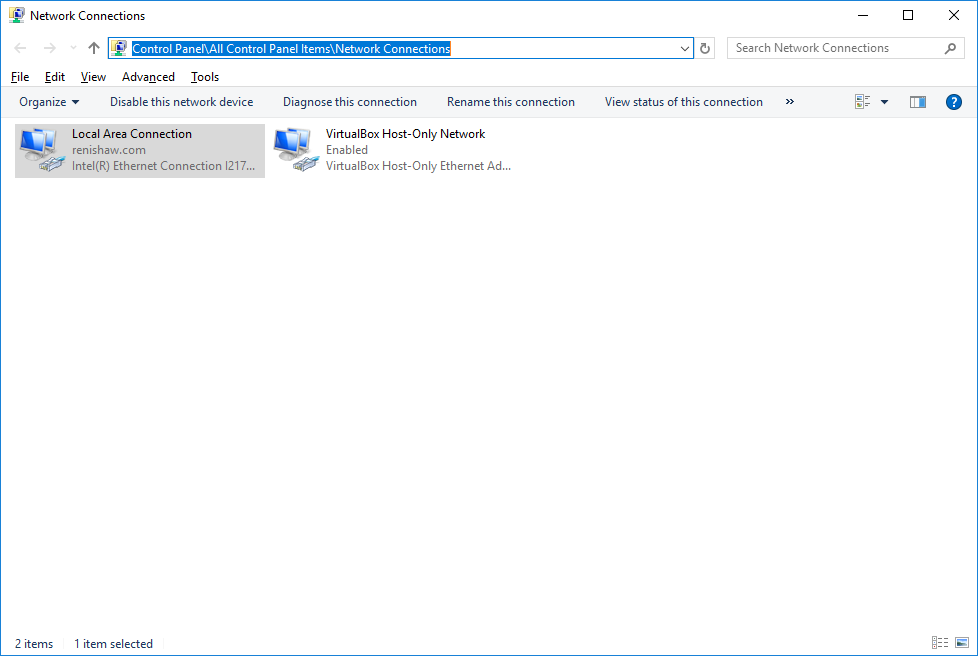
Step 2: Navigate to Control Panel\All Control Panel Items\Network Connections
In Control Panel\All Control Panel Items\Network Connections
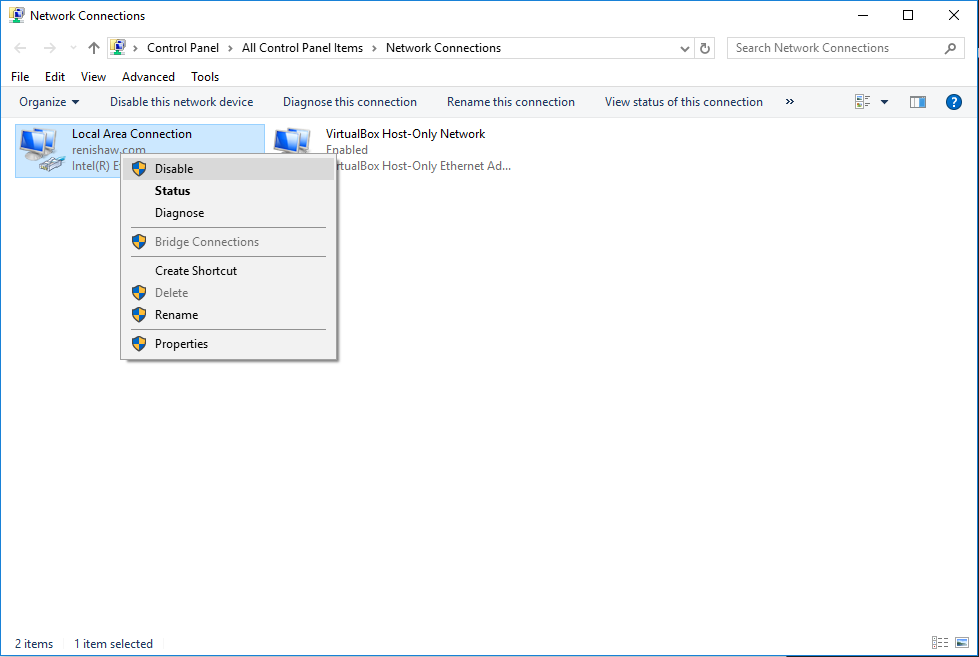
Step 3: Select Disable

Step 1: Open Control Panel
Step 2: Navigate to Control Panel\All Control Panel Items\Network Connections
In Control Panel\All Control Panel Items\Network Connections
Step 3: Select Disable