If you do not have an example web service url available here, you can refer to this post to create one for yourself:
https://www.technical-recipes.com/2018/getting-started-with-creating-asp-net-web-api-services/
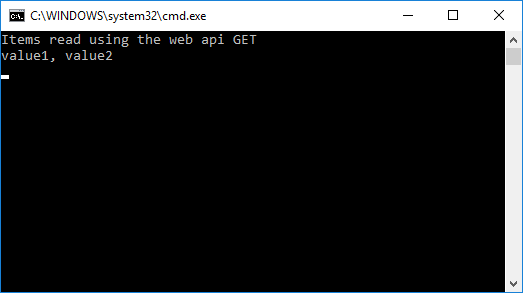
In that example the GET command returns an array of two strings.
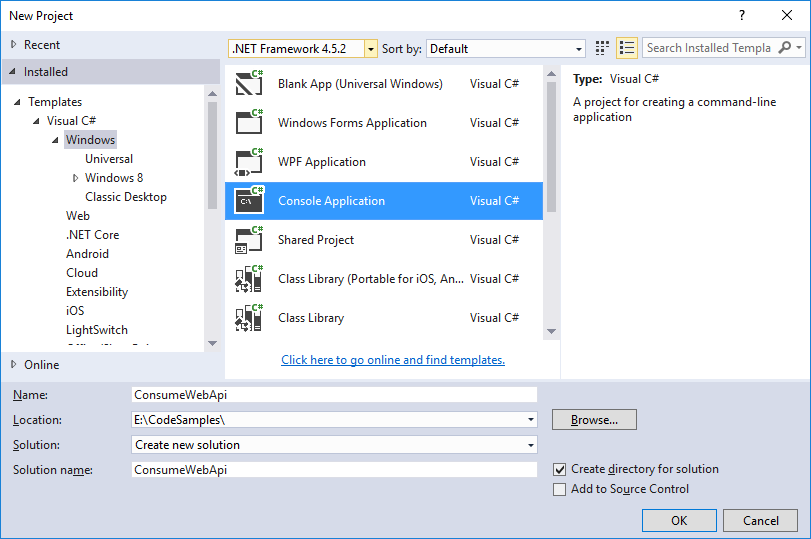
Create a new console application:
For this example we need access to HttpContent.ReadAsAsync.
You may have to install this via NuGet. To do this open the Package Manager Console and select:
PM> install-package Microsoft.AspNet.WebApi.Client
The following code gives the example GET command implementation whereby the console app talks to the example web service to obtain the required items:
using System;
using System.Collections.Generic;
using System.Linq;
using System.Net.Http;
using System.Net.Http.Headers;
using System.Threading.Tasks;

namespace ConsumeWebApi
{
   internal static class Program
   {
      private static readonly HttpClient Client = new HttpClient();

      private static void Main()
      {
         RunAsync().GetAwaiter().GetResult();
      }

      private static async Task<IEnumerable<string>> GetItems(string path)
      {
         var response = await Client.GetAsync(path);

         if (!response.IsSuccessStatusCode) return null;

         return await response.Content.ReadAsAsync<List<string>>();
      }

      private static async Task RunAsync()
      {
         // Update your local service port no. / service APIs etc in the following line
         Client.BaseAddress = new Uri("http://localhost:57579/api/values/");
         Client.DefaultRequestHeaders.Accept.Clear();
         Client.DefaultRequestHeaders.Accept.Add(
            new MediaTypeWithQualityHeaderValue("application/json"));

         try
         {
            var items = await GetItems("http://localhost:57579/api/values/");
            Console.WriteLine("Items read using the web api GET");
            Console.WriteLine(string.Join(string.Empty, items.Aggregate((current, next) => current + ", " + next)));
         }
         catch (Exception e)
         {
            Console.WriteLine(e.Message);
         }

         Console.ReadLine();
      }
   }
}
Giving the following console output: