From StackOverflow searches, I see that there are two possible ways: use an implementation of a TrulyObservableCollection; or use a Binding List.
StackOverflow resource:
In your console application first implement a property that implements INotifyPropertyChanged for you:
ViewModelBase.cs
using System.ComponentModel;

namespace ObservableCollection
{
   public class ViewModelBase : INotifyPropertyChanged
   {
      public event PropertyChangedEventHandler PropertyChanged;
      protected void OnPropertyChanged(string propertyName)
      {
         var handler = PropertyChanged;

         handler?.Invoke(this, new PropertyChangedEventArgs(propertyName));
      }
   }
}
Code samples as follows:
1. TrulyObservableCollection
using System;
using System.Collections.Generic;
using System.Collections.ObjectModel;
using System.Collections.Specialized;
using System.ComponentModel;

namespace ObservableCollection
{
   public class Item : ViewModelBase
   {
      private string _value;

      public string Value
      {
         get { return _value; }
         set
         {
            _value = value;
            OnPropertyChanged("Value");
         }
      }
   }

   public sealed class TrulyObservableCollection<T> : ObservableCollection<T>
      where T : INotifyPropertyChanged
   {
      private TrulyObservableCollection()
      {
         CollectionChanged += FullObservableCollectionCollectionChanged;
      }

      public TrulyObservableCollection(IEnumerable<T> pItems) : this()
      {
         foreach (var item in pItems)
            Add(item);
      }

      private void FullObservableCollectionCollectionChanged(object sender, NotifyCollectionChangedEventArgs e)
      {
         if (e.NewItems != null)
            foreach (var item in e.NewItems)
               ((INotifyPropertyChanged) item).PropertyChanged += ItemPropertyChanged;
         if (e.OldItems == null) return;
         {
            foreach (var item in e.OldItems)
               ((INotifyPropertyChanged) item).PropertyChanged -= ItemPropertyChanged;
         }
      }

      private void ItemPropertyChanged(object sender, PropertyChangedEventArgs e)
      {
         var args = new NotifyCollectionChangedEventArgs(NotifyCollectionChangedAction.Replace, sender, sender,
            IndexOf((T) sender));
         OnCollectionChanged(args);
      }
   }

   internal static class Program
   {
      private static void Main(string[] args)
      {
         var items = new List<Item>
         {
            new Item {Value = "1"},
            new Item {Value = "2"}
         };

         var list = new TrulyObservableCollection<Item>(items);
         list.CollectionChanged += OnCollectionChanged;

         // Change one of the value in the truly observable collection
         list[0].Value = "3";
      }

      private static void OnCollectionChanged(object sender, NotifyCollectionChangedEventArgs e)
      {
         // Event raised.
         // Now do your stuff...
         Console.WriteLine("Item in the collection has been changed, handling this event.");
      }
   }
}
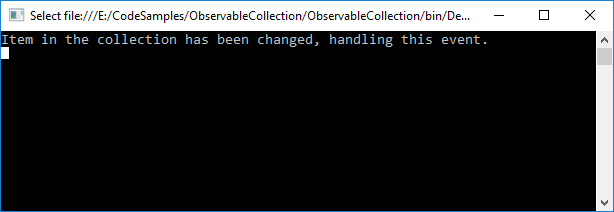
Giving the following output as soon as one of the items in the observable collection is changed:
2. BindingList
Quite a bit simpler than creating your own.
BindingList will automatically forward your property’s PropertyChanged events as ListChanged events where ListChangedType == ItemChanged
using System;
using System.Collections.Generic;
using System.ComponentModel;

namespace ObservableCollection
{
   public class Item : ViewModelBase
   {
      private string _value;

      public string Value
      {
         get { return _value; }
         set
         {
            _value = value;
            OnPropertyChanged("Value");
         }
      }
   }

   internal static class Program
   {
      private static void Main(string[] args)
      {
         var items = new List<Item>
         {
            new Item {Value = "1"},
            new Item {Value = "2"}
         };

         var bindingList = new BindingList<Item> { new Item { Value = "1" } };

         bindingList.ListChanged += OnBindingListChanged;
         bindingList[0].Value = "3";

         // Change one of the value in the bindingList collection
         bindingList[0].Value = "3";
      }

      private static void OnBindingListChanged(object sender, ListChangedEventArgs e)
      {
         // Event raised.
         // Now do your stuff...
         Console.WriteLine("Item in the collection has been changed, handling this event.");
      }
   }
}
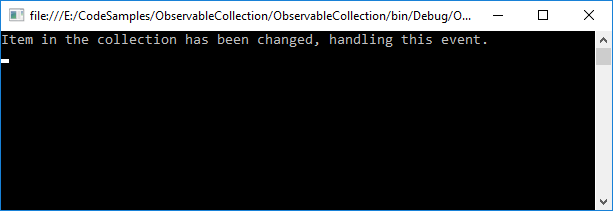
Giving the following output: