
Creating the byte array
This post describes a means of taking data in the form of raw pixels containing RGB values as well as the image height, width and the number of bits per pixel (24 in this case) and converting this into a bitmap (BMP) file.
Example Visual Studio 2010 project is downloadable from here:
www.technical-recipes.com/Downloads/BitmapRawPixels.zip
In this this post I originally described how I needed a means of representing binary array values (inkjet printhead nozzles turned ON/OFF) as a set of colored ‘squares’ or pixels, so that nozzles switched ON/OFF could be represented by two different colours – black or white. The bitmap width was always going to be 128, while the bitmap length (“SizeValue”) was one of a set of discrete set of values in the range { 1000, 1250, 1251, 1350 }. For this example I did not have to worry about padding additional values
Since then I have made some improvements to the original code sample, specifically if the image data happens to be not DWORD-aligned, then a new data array is created and padded such that there will be enough bytes to reach the next DWORD.
The original task was to create a one-dimensional array of bytes representing pixel colour data from the two-dimensional adjacency matrix provided. Each pixel value was then set to black or white, depending on the matrix array value:
BYTE* buf = new BYTE[ 128 * 3 * SizeValue ];

int c = 0;

for ( int i = 0; i <; SizeValue; i++ )
{
    for ( int j = 0; j <; 128; j++ )
    {
        unsigned char val = pmatrix[ i ][ j ] == 0 ? 0xFF : 0x00;

        buf[ c + 0 ] = (BYTE) val;
        buf[ c + 1 ] = (BYTE) val;
        buf[ c + 2 ] = (BYTE) val;

        c += 3;
    }
}

SaveBitmapToFile( (BYTE*) buf,
                            128,
                            SizeValue,
                            24,
                            "C:\\MyFolder\\image_created.bmp" );

delete [] buf;
Saving the byte data as a bitmap file
Writing the array data as a bitmap file is accomplished by the SaveBitmapToFile module. This module essentially:
i. initializes a BITMAPINFOHEADER data structure with bitmap parameters (header size, padding, height, width, etc)
ii. initializes a BITMAPFILEHEADER structure in the appropriate way
iii. Creates a file handler and writes the file, bitmap info and pixel data into it to create the new bitmap file representation:
Complete code listing
Here is the complete code listing to enable the user to:
1. Open an input bitmap file
2. Obtain the raw BYTE array, image height and image width from the input bitmap file
3. Create a new raw BYTE array, which will have space for additional padding if required
4. Save the new raw BYTE array to the new bitmap file.
#include <Windows.h>
#include <algorithm>
#include <memory>

// Save the bitmap to a bmp file
void SaveBitmapToFile( BYTE* pBitmapBits,
                       LONG lWidth,
                       LONG lHeight,
                       WORD wBitsPerPixel,
					   const unsigned long& padding_size,
                       LPCTSTR lpszFileName )
{
    // Some basic bitmap parameters
    unsigned long headers_size = sizeof( BITMAPFILEHEADER ) +
                                 sizeof( BITMAPINFOHEADER );

    unsigned long pixel_data_size = lHeight * ( ( lWidth * ( wBitsPerPixel / 8 ) ) + padding_size );

    BITMAPINFOHEADER bmpInfoHeader = {0};

    // Set the size
    bmpInfoHeader.biSize = sizeof(BITMAPINFOHEADER);

    // Bit count
    bmpInfoHeader.biBitCount = wBitsPerPixel;

    // Use all colors
    bmpInfoHeader.biClrImportant = 0;

    // Use as many colors according to bits per pixel
    bmpInfoHeader.biClrUsed = 0;

    // Store as un Compressed
    bmpInfoHeader.biCompression = BI_RGB;

    // Set the height in pixels
    bmpInfoHeader.biHeight = lHeight;

    // Width of the Image in pixels
    bmpInfoHeader.biWidth = lWidth;

    // Default number of planes
    bmpInfoHeader.biPlanes = 1;

    // Calculate the image size in bytes
    bmpInfoHeader.biSizeImage = pixel_data_size;

    BITMAPFILEHEADER bfh = {0};

    // This value should be values of BM letters i.e 0x4D42
    // 0x4D = M 0×42 = B storing in reverse order to match with endian
    bfh.bfType = 0x4D42;
    //bfh.bfType = 'B'+('M' << 8);

    // <<8 used to shift ‘M’ to end  */

    // Offset to the RGBQUAD
    bfh.bfOffBits = headers_size;

    // Total size of image including size of headers
    bfh.bfSize =  headers_size + pixel_data_size;

    // Create the file in disk to write
    HANDLE hFile = CreateFile( lpszFileName,
                                GENERIC_WRITE,
                                0,
                                NULL,
                                CREATE_ALWAYS,
                                FILE_ATTRIBUTE_NORMAL,
                                NULL );

    // Return if error opening file
    if( !hFile ) return;

    DWORD dwWritten = 0;

    // Write the File header
    WriteFile( hFile,
                &bfh,
                sizeof(bfh),
                &dwWritten ,
                NULL );

    // Write the bitmap info header
    WriteFile( hFile,
                &bmpInfoHeader,
                sizeof(bmpInfoHeader),
                &dwWritten,
                NULL );

    // Write the RGB Data
    WriteFile( hFile,
                pBitmapBits,
                bmpInfoHeader.biSizeImage,
                &dwWritten,
                NULL );

    // Close the file handle
    CloseHandle( hFile );
}

BYTE* LoadBMP ( int* width, int* height, unsigned long* size, LPCTSTR bmpfile )
{
	BITMAPFILEHEADER bmpheader;
	BITMAPINFOHEADER bmpinfo;
	// value to be used in ReadFile funcs
	DWORD bytesread;
	// open file to read from
	HANDLE file = CreateFile ( bmpfile ,
		                       GENERIC_READ,
							   FILE_SHARE_READ,
							   NULL,
							   OPEN_EXISTING,
							   FILE_FLAG_SEQUENTIAL_SCAN,
							   NULL );
	if ( NULL == file )
		return NULL;

	if ( ReadFile ( file, &bmpheader, sizeof ( BITMAPFILEHEADER ), &bytesread, NULL ) == false )
	{
		CloseHandle ( file );
		return NULL;
	}

	// Read bitmap info
	if ( ReadFile ( file, &bmpinfo, sizeof ( BITMAPINFOHEADER ), &bytesread, NULL ) == false )
	{
		CloseHandle ( file );
		return NULL;
	}

	// check if file is actually a bmp
	if ( bmpheader.bfType != 'MB' )
	{
		CloseHandle ( file );
		return NULL;
	}

	// get image measurements
	*width   = bmpinfo.biWidth;
	*height  = abs ( bmpinfo.biHeight );

	// Check if bmp iuncompressed
	if ( bmpinfo.biCompression != BI_RGB )
	{
		CloseHandle ( file );
		return NULL;
	}

	// Check if we have 24 bit bmp
	if ( bmpinfo.biBitCount != 24 )
	{
		CloseHandle ( file );
		return NULL;
	}

	// create buffer to hold the data
	*size = bmpheader.bfSize - bmpheader.bfOffBits;
	BYTE* Buffer = new BYTE[ *size ];
	// move file pointer to start of bitmap data
	SetFilePointer ( file, bmpheader.bfOffBits, NULL, FILE_BEGIN );
	// read bmp data
	if ( ReadFile ( file, Buffer, *size, &bytesread, NULL ) == false )
	{
		delete [] Buffer;
		CloseHandle ( file );
		return NULL;
	}

	// everything successful here: close file and return buffer

	CloseHandle ( file );

	return Buffer;
}

std::unique_ptr<BYTE[]> CreateNewBuffer( unsigned long& padding,
										 BYTE* pmatrix,
										 const int& width,
									     const int& height )
{
	padding = ( 4 - ( ( width * 3 ) % 4 ) ) % 4;
	int scanlinebytes = width * 3;
	int total_scanlinebytes = scanlinebytes + padding;
	long newsize = height * total_scanlinebytes;
	std::unique_ptr<BYTE[]> newbuf( new BYTE[ newsize ] );

	// Fill new array with original buffer, pad remaining with zeros
	std::fill( &newbuf[ 0 ], &newbuf[ newsize ], 0 );
	long bufpos = 0;
	long newpos = 0;
	for ( int y = 0; y < height; y++ )
	{
		for ( int x = 0; x < 3 * width; x+=3 )
		{
			// Determine positions in original and padded buffers
			bufpos = y * 3 * width + ( 3 * width - x );
			newpos = ( height - y - 1 ) * total_scanlinebytes + x;

			// Swap R&B, G remains, swap B&R
			newbuf[ newpos ] = pmatrix[ bufpos + 2 ];
			newbuf[ newpos + 1 ] = pmatrix[ bufpos + 1 ];
			newbuf[ newpos + 2 ] = pmatrix[ bufpos ];
		}
	}

	return newbuf;
}

int main()
{
	int imageWidth = 0;
	int imageHeight = 0;
	unsigned long imageSize = 0;
	unsigned long padding = 0;

	// Load the bitmap file, amd put its data part into the BYTE array
	BYTE* bytes = LoadBMP( &imageWidth, &imageHeight, &imageSize, "C:\\MyStuff\\shaunak.BMP" );
	std::reverse( bytes, bytes + imageSize );

	// Determine amount of padding required, if any, and create a new BYTE array from this
	std::unique_ptr<BYTE[]> newbuf2 = CreateNewBuffer( padding, bytes, imageWidth, imageHeight );

	// Use the new array data to create the new bitmap file
	SaveBitmapToFile( (BYTE*) &newbuf2[ 0 ],
					  imageWidth,
					  imageHeight,
					  24,
					  padding,
					  "C:\\MyStuff\\new_image.bmp" );

	return 0;
}
Example Usage
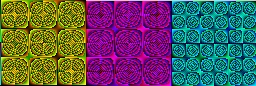
The program works by first loading the bitmap data from the bitmap file provided eg shaunak.BMP:
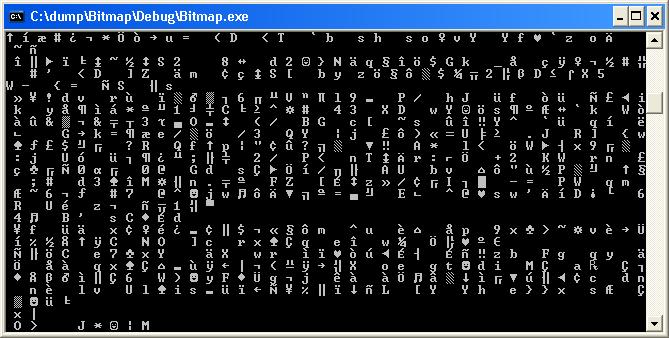
The program extracts the raw data from this and puts it into the buffer, example output of this buffer data:
It then creates the new BYTE array with any additional padding, if necessary, and the BYTE data is saved as a new bitmap file, as mentioned previously. Here it is saved as “new_image.bmp” and as expected is a duplicate of the original bitmap file:
Here is another example of its usage. Instead of obtaining raw bitmap data from an existing bitmap file, I create my own bitmap, which in this case is a simple blue square. I then call
SaveBitmapToFile
to convert this raw data to the bitmap file:
int main()
{
	BYTE* buf = new BYTE[ 128 * 3 * 128 ];
	int c = 0;

	for ( int i = 0; i < 128; i++ )
	{
		for ( int j = 0; j < 128; j++ )
		{
			buf[ c + 0 ] = (BYTE) 255;
			buf[ c + 1 ] = (BYTE) 0;
			buf[ c + 2 ] = (BYTE) 0;

			c += 3;
		}
	}

	SaveBitmapToFile( (BYTE*) buf,
					128,
					128,
					24,
					0,
					"C:\\MyFolder\\bluesquare.bmp" );

	delete [] buf;
	return 0;
}
And this is the bitmap image “bluesquare.bmp” created from the raw data:




Hey,
Thank you for sharing this. I was looking to store some results as a bitmap, but having to write the header was putting me off. This code helps explain the header structure a lot.
Thank you!