A short recipe outlining how to output a SYSTEMTIME value as a std::string.
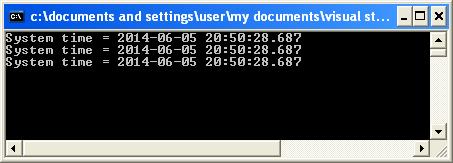
The example format will be “YYYY-MM-DD HH:MM:SS.MMM”
I specifically wanted to include milliseconds.
In this example I employ three possible techniques:
1. MFC CString
2. std::ostringstream
3. sprintf
Example code listing shown:
#include <windows.h>
#include <atlstr.h>
#include <iostream>
#include <sstream>
#include <iomanip>

int main()
{
	SYSTEMTIME st, lt;

    GetSystemTime(&st);
    std::string strMessage;

	// Output a given SYSTEMTIME in the format "

	// 1. Using CString
	CString cstrMessage;

	cstrMessage.Format( "%d-%02d-%02d %02d:%02d:%02d.%03d",
					    st.wYear,
		                st.wMonth,
					    st.wDay,
					    st.wHour,
					    st.wMinute,
					    st.wSecond,
					    st.wMilliseconds );

	strMessage = cstrMessage;
	std::cout << "System time = " << strMessage << std::endl;

	// 2. Formating using ostringstream
	std::ostringstream ossMessage;

	ossMessage << st.wYear   << "-"
		       << std::setw( 2 ) << std::setfill( '0' ) << st.wMonth  << "-"
			   << std::setw( 2 ) << std::setfill( '0' ) << st.wDay    << " "
			   << std::setw( 2 ) << std::setfill( '0' ) << st.wHour   << ":"
			   << std::setw( 2 ) << std::setfill( '0' ) << st.wMinute << ":"
			   << std::setw( 2 ) << std::setfill( '0' ) << st.wSecond << "."
			   << std::setw( 3 ) << std::setfill( '0' ) << st.wMilliseconds;

	strMessage = ossMessage.str();
	std::cout << "System time = " << strMessage << std::endl;

	// 3. sprintf
	char buffer[ 256 ];
	sprintf( buffer,
		     "%d-%02d-%02d %02d:%02d:%02d.%03d",
			 st.wYear,
			 st.wMonth,
			 st.wDay,
			 st.wHour,
			 st.wMinute,
			 st.wSecond,
			 st.wMilliseconds );

	strMessage = buffer;
	std::cout << "System time = " << strMessage << std::endl;

	return 0;
}
All three techniques giving exactly the same output as shown:
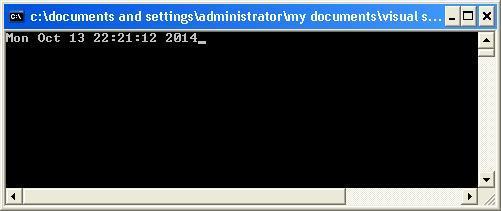
Here is another example whereby I take a SYSTEMTIME as input and output it to a stream in a given date/time format such as “Mon Oct 13 22:21:12 2014”. I create a class called TimeFormat which is constructed from the format string and SYSTEMTIME, and outputs the desired output time format via an overloaded insertion (<<) operator that can recognize an ostream object on the left and a TimeFormat object on the right. The overloaded << operator function is declared as a friend of class TimeFormat so it can access the private data within the TimeFormatobject:
friend std::ostream& operator <<( std::ostream&, TimeFormat const & );
Full code listing as follows:
#include <iostream>
#include <iterator>
#include <string>
#include <ctime>
#include <locale>
#include <Windows.h>

const std::string TIME_PATTERN = "%a %b %d %H:%M:%S %Y";

class TimeFormat
{
public:

    TimeFormat(const std::string& strFormat, const SYSTEMTIME& stSystemDate) :
         m_strFormat( strFormat ),
         m_stSystemDate( stSystemDate ) {}

    friend std::ostream& operator <<( std::ostream&, TimeFormat const & );

private:
    std::string m_strFormat;
	SYSTEMTIME m_stSystemDate;
};

std::ostream& operator <<( std::ostream& os, TimeFormat const& format )
{
	std::ostream::sentry s(os);

    if ( s )
    {
		std::tm tmSystemDate;
		tmSystemDate.tm_sec  = format.m_stSystemDate.wSecond;
		tmSystemDate.tm_min  = format.m_stSystemDate.wMinute;
		tmSystemDate.tm_hour = format.m_stSystemDate.wHour;
		tmSystemDate.tm_mday = format.m_stSystemDate.wDay;
		tmSystemDate.tm_mon  = format.m_stSystemDate.wMonth - 1;
		tmSystemDate.tm_year = format.m_stSystemDate.wYear - 1900;
		tmSystemDate.tm_isdst = -1;

		std::time_t t = std::mktime( &tmSystemDate );
        std::tm const* tm = std::localtime(&t);
        std::ostreambuf_iterator<char> output( os );
        std::use_facet<std::time_put<char>>(os.getloc()).put( output,
														      os,
															  os.fill(),
															  tm,
															  &format.m_strFormat[0],
															  &format.m_strFormat[0] + format.m_strFormat.size() );

    }

    os.width( 0 );
    return os;
}

int main()
{
	SYSTEMTIME stSystemDate;
	GetSystemTime( &stSystemDate );
	std::cout << TimeFormat( TIME_PATTERN, stSystemDate );
}
Which will give the following output: