Tag: Javascript

  • Using .map(), .reduce() and .filter() in JavaScript

    Useful links:

    https://code.tutsplus.com/tutorials/how-to-use-map-filter-reduce-in-javascript–cms-26209

    https://medium.com/poka-techblog/simplify-your-javascript-use-map-reduce-and-filter-bd02c593cc2d

    To summarize:

    map

    Creates a new array by transforming every element in an array, individually.

    filter

    Creates a new array by removing elements that don’t belong.

    reduce

    Takes all of the elements in an array, and reduces them into a single value.

    reduce method executes a provided function for each value of the array (from left-to-right).

    reduce passes your callback four arguments:

    The current value
    The previous value
    The current index
    The array you called reduce on

    In this post I use playcode.io to do the compiling of the JavaScripts online.

    Example

    Suppose we have the following array of objects, and we wish to filter the list of objects whose age is greater than 12, put the ages of those filtered objects into another array, and find the total age from the new array:

    var items = [
      {
        age: 12,
        name: "Wedge Antilles",
        faction: "Rebels",
        val: 23
      },
      {
        age: 8,
        name: "Ciena Ree",
        faction: "Empire",
        val:19
      },
      {
        age: 40,
        name: "Iden Versio",
        faction: "Empire",
        val:213
      },
      {
        age: 66,
        name: "Thane Kyrell",
        faction: "Rebels",
        val:3
      }
    ];
    
    console.log("All ages:");
    items.forEach(item => {
      console.log(item.age)
    });
    

    Ages output as follows:

    All ages:
    12
    8
    40
    66
    

    using filter()

    To obtain the list of objects whose age is less than 12, we use filter:

    var older = items.filter(item => item.age > 12);
    console.log("All ages > 12:");
    older.forEach(item => {
      console.log(item.age)
    });
    

    Giving the following output:

    All ages > 12:
    40
    66
    

    using map()

    And then to put the ages of those filtered objects into their own list, we use map:

    var olderMap = older.map(item => item.age);
    
    console.log("All ages > 12 in new array:");
    olderMap .forEach(item => {
      console.log(item)
    });
    

    Giving the following output:

    All ages > 12 in new array:
    40
    66
    

    using reduce()

    And then we wish to find the total aggregate age of the new array of ages:

    var olderMapTotal = olderMap.reduce((acc, value) => value + acc);
    
    console.log("Total of ages > 12:");
    

    Giving the following output:

    Total of ages > 12:'
    106
    

    And you can also chain the use of filter, map and reduce as follows:

    // Combined
    console.log("Total of ages > 12 using chaining:");
    var olderMapTotalChained = items
                                .filter(item => item.age > 12)
                                .map(item => item.age)
                                .reduce((acc, value) => acc + value, 0);                            
    console.log(olderMapTotalChained);
    

    Giving the following output:

    Total of ages > 12 using chaining:'
    106
    

    These operations can be done within the curly brackets as shown:

    var olderMapTotalChained = items
                                .filter(item => { return item.age > 12 || item.name.includes('Wedge') })
                                .map(item => item.age)
                                .reduce((acc, value) => acc + value);
    
  • My Aurelia cheat sheet

    A collection for Aurelia / typescript / javascript as and when I encounter them.

    For a post on getting set up with Aurelia JS see this post:

    https://www.technical-recipes.com/2019/getting-started-with-aurelia-js/

    https://www.technical-recipes.com/2019/getting-started-with-aurelia-js-part-2/

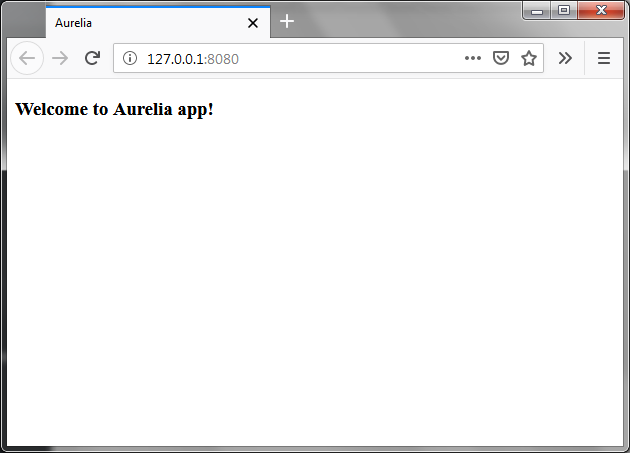
    1. Hello World!

    app.js

    export class App {  
       constructor() {
          this.myData = 'Welcome to Aurelia app!';
       }
    }
    

    app.html

    <template>
       <h3>${myData}</h3>
    </template>
    

    Giving the following output:

    Hello World!
    Hello World!

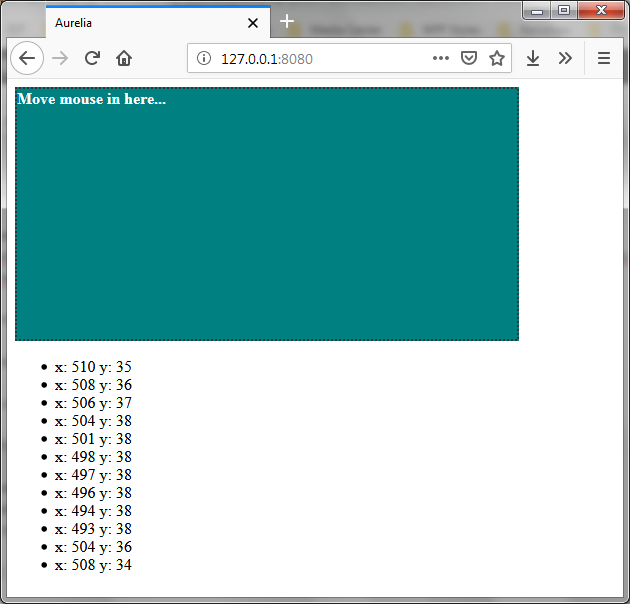
    2. Detecting mouse movement events

    From here: https://bl.ocks.org/Vheissu/db72c2d41709697134654d5287913c0c

    app.html

    <template>
      <div mousemove.delegate="mousemove($event)" style="background: teal; border: 2px dotted #333; color: #FFF; font-size: 16px; font-weight: bold; height: 250px; width:500px;">Move mouse in here...</div>
      <ul if.bind="mouseevents">
        <li repeat.for="mouseevent of mouseevents">x: ${mouseevent.x} y: ${mouseevent.y}</li>
      </ul>
    </template>
    

    app.js

    export class App {  
      constructor() {
        this.mouseevents = [];
      }
      
      mousemove(e) {
        this.mouseevents.push({x: e.clientX, y: e.clientY});
      }
    }
    

    Giving the following output:

    Aurelia
    Detecting mouse event in Aurelia

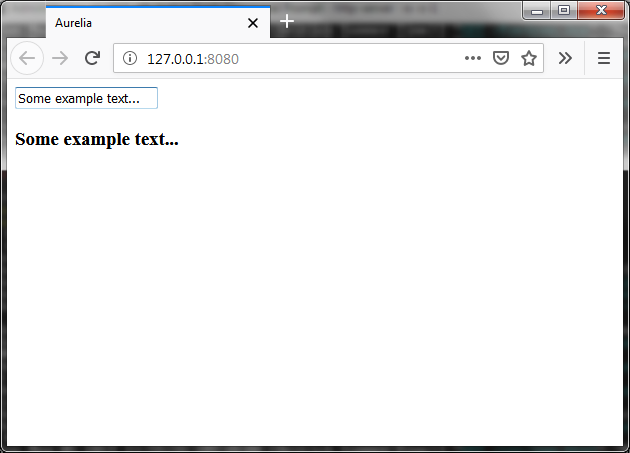
    3. Two-way data binding

    In this example we have our view-model and view linked. Firstly the text is set in the constructor. Then whenever we enter some text inside the input field, the view will be updated.

    app.js

    export class App {  
       constructor() {
          this.myData = 'Enter some text!';
       }
    }
    

    app.html

    <template>
       <input id = "name" type = "text" value.bind = "myData" />
       <h3>${myData}</h3>
    </template>
    

    Giving the following output:

    Two-way binding
    Two-way binding

    4. Displaying a list of controls using repeat.for

    Firstly an excellent page at ‘I Like Kill Nerds’ blog which gives lots of useful examples:

    https://ilikekillnerds.com/2015/10/working-with-the-repeater-in-aurelia/

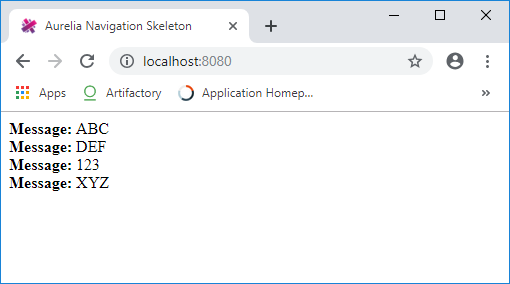
    A more basic get-you-started example here:

    app.html

    <template> 
      <div repeat.for="message of messages">
        <strong>Message: </strong>${message}    
    </div>
    </template>
    

    app.js

    export class App {  
      messages = ["ABC", "DEF", "123", "XYZ"];
    }
    

    Giving the following output:

  • How To Re-Direct Old URLs to New URLs

    When transferring your old website to a new one, you will probably want to re-direct your visitors so that links pointing to outdated URLs are sent to the correct new ones. (more…)