1. Create a new project
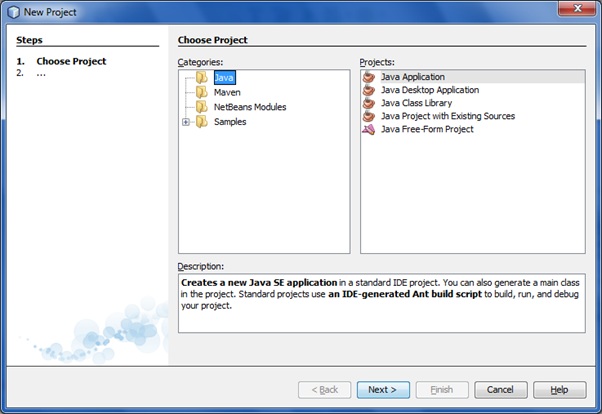
In the File menu, select New Project:
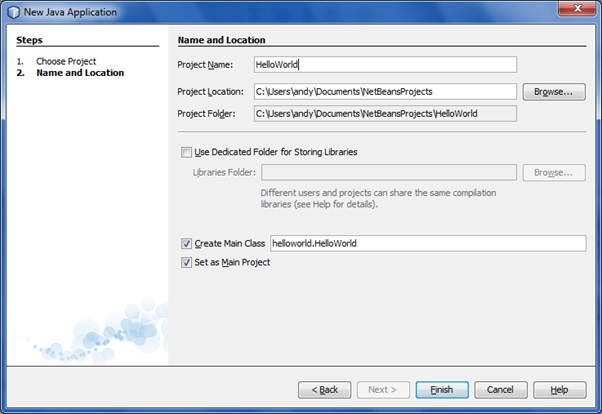
And complete the remaining wizard step(s):
2. Write the code
As with writing the “Hello World” example in the Eclipse IDE, fill in the bit of auto generated code:
/*
 * To change this template, choose Tools | Templates
 * and open the template in the editor.
 */
package helloworld;

/**
 *
 * @author andy
 */
public class HelloWorld {

    /**
     * @param args the command line arguments
     */
    public static void main(String[] args) {
        System.out.println( "Hello World!" );
    }
}
3. Build and run the project
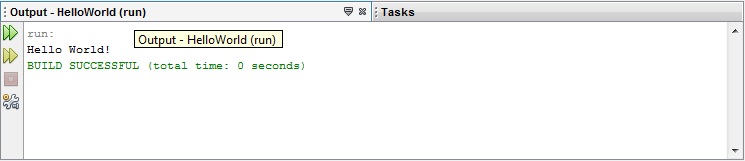
Hit F11 to build the project and F6 in order to run. Sample Console output shown below: