
Basic threading can quite easily be accomplished in C# by employing just a few lines of code.
For this situation it is simply a matter of defining the function you wish to be run as a thread, starting that thread and using ‘join’ as a means of waiting for that thread to finish before continuing with the rest of your code.
The following example show how to launch a function/task as a thread that operates independently of your main control loop:
using System;
using System.Threading;

namespace Threads
{
   class Program
   {
      public static void Main(string[] args)
      {
         // Create and start the thread
         Thread thread = new Thread(new ThreadStart(SomeTaskThatNeedsToFinish));
         thread.Start();

         // Does not proceed beyond here until thread function has finished
         thread.Join();

         // Once finished your program is free to continue...
         Console.WriteLine("Task completed.  Press a key to exit.");
         Console.ReadKey();
      }

      private static void SomeTaskThatNeedsToFinish()
      {
         // Simulate some task that is going to take ~5sec to finish
         Console.WriteLine("Waiting for task to complete...");
         Thread.Sleep(5000);
      }
   }
}
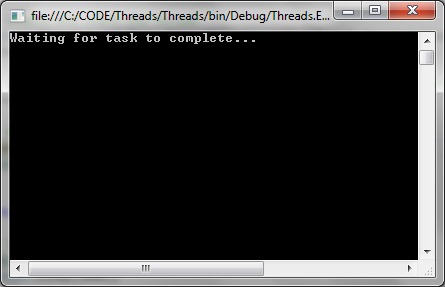
When the programs is started the program is still ‘busy’ doing stuff:
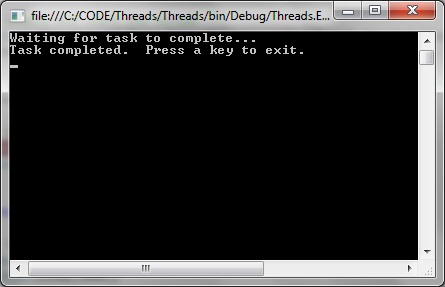
And only continues with the rest of the code when finished:
Using async and await
Async is very useful for tasks that will take an indeterminate length of time, or even fail, such as when accessing a web service. Using the async will enable us to perform other tasks while the asynchronous task is still being carried out.
using System;
using System.Net.Http;
using System.Threading.Tasks;

namespace Threads
{
   class Program
   {
      public static void Main(string[] args)
      {
         var url = AccessTheWebAsync();
         Console.WriteLine("Asynchronous task completed.");
      }

      // Any function that implements await has to be an async
      async static Task<int> AccessTheWebAsync()
      {
         // GetStringAsync returns Task<string>. When you await the task you'll get a string (urlContents).
         // (Can you imagine a world without Microsoft?)
         HttpClient client = new HttpClient();
         Task<string> getStringTask = client.GetStringAsync("http://www.microsoft.com");

         // If GetStringAsync gets completed quickly all well and good.
         // If GetStringAsync takes a long time it still won't stop us from executing DoOtherWork
         DoOtherWork();

         // Resumes when GetStringAsynch complete
         string urlContents = await getStringTask;
         return urlContents.Length;
      }

      private static void DoOtherWork()
      {
         Console.WriteLine("Performing other tasks while still obtaining website string...");
      }
   }
}

