
Some instructions on how to incorporate the Gecko (Firefox) web browser, which is WinForms-based, for use within your WPF / XAML based C# project.
A similar post can be found here, whereby I use the MVVM-based approach:
https://www.technical-recipes.com/2017/using-the-gecko-browser-using-mvvm
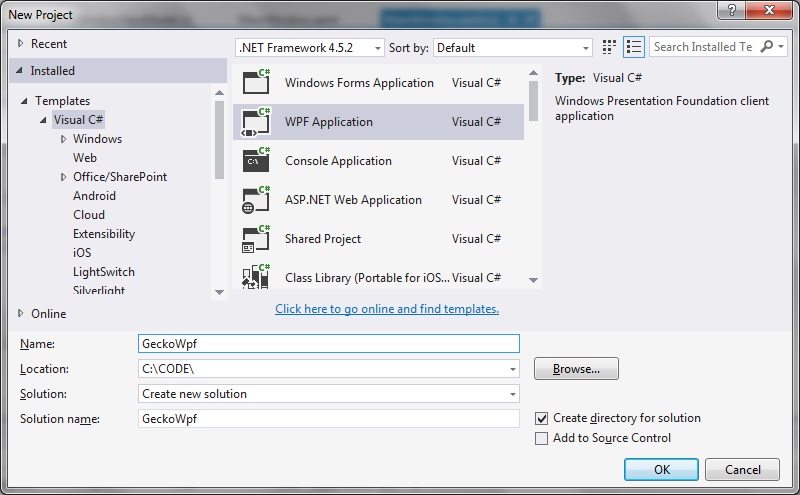
Step 1: Create a new WPF project
Step 2: Install Gecko via NuGet
In my example I install the Windows 32-bit version.
Select Tools > NuGet Package Manager > Package Manager Console
Run the following command:
Install-Package Geckofx45
Step 3: Add any other essential references
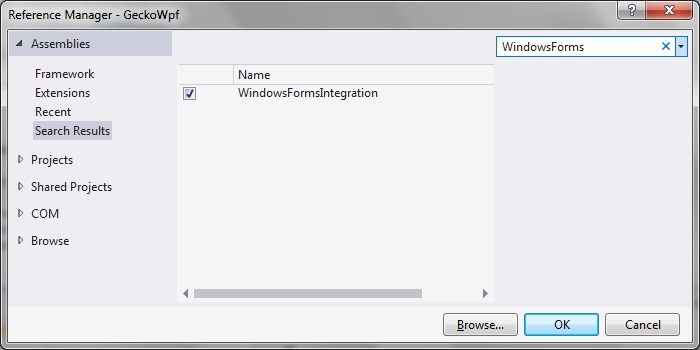
Right click your project folder and select Add References.
(Make sure that System.Windows.Forms is already installed.)
Select WindowsFormsIntegration as the reference to add:
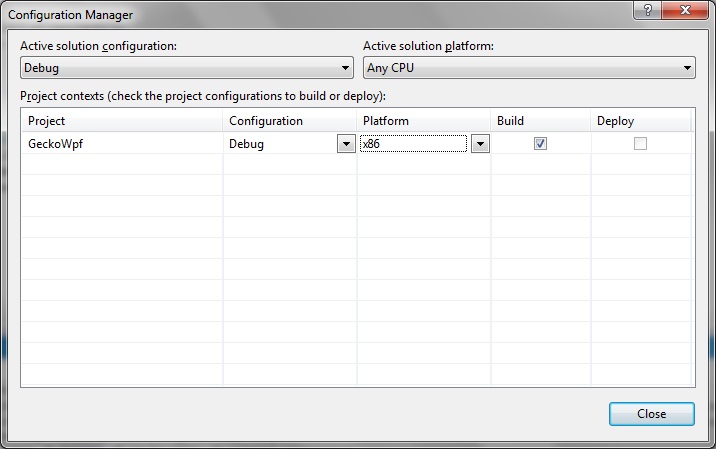
Step 4: Set the configuration to 32 bit
As shown in the Configuration Manager screenshot below:
Step 5: Update the main View
In this example the
<Window x:Class="GeckoWpf.MainWindow"
        xmlns="http://schemas.microsoft.com/winfx/2006/xaml/presentation"
        xmlns:x="http://schemas.microsoft.com/winfx/2006/xaml"
        xmlns:d="http://schemas.microsoft.com/expression/blend/2008"
        xmlns:mc="http://schemas.openxmlformats.org/markup-compatibility/2006"
        xmlns:local="clr-namespace:GeckoWpf"
        mc:Ignorable="d"
        Title="GeckoBrowser"
        Height="400" Width="600">

    <Grid
        Name="GridWeb"
        Loaded="Window_Loaded">
    </Grid>
</Window>
Step 6: Modify the MainWindow view class
MainWindow.xaml.cs
using Gecko;
using System.Windows;
using System.Windows.Forms.Integration;

namespace GeckoWpf
{
   /// <summary>
   /// Interaction logic for MainWindow.xaml
   /// </summary>
   public partial class MainWindow : Window
   {
      public MainWindow()
      {
         InitializeComponent();
         Gecko.Xpcom.Initialize("Firefox");
      }

      private void Window_Loaded(object sender, RoutedEventArgs e)
      {
         WindowsFormsHost host = new WindowsFormsHost();
         GeckoWebBrowser browser = new GeckoWebBrowser();
         host.Child = browser;
         GridWeb.Children.Add(host);
         browser.Navigate("http://www.google.com");
      }
   }
}
Step 7: Try it
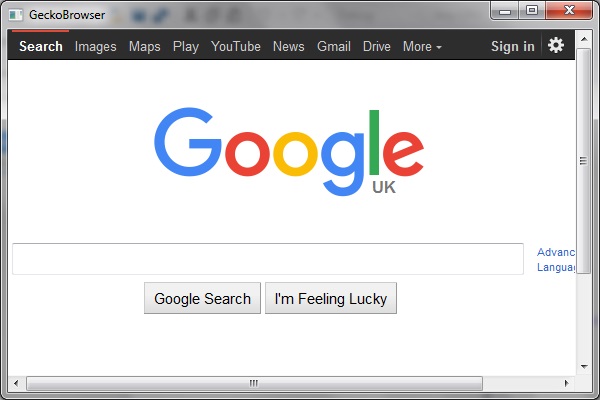
The Gecko browser embedded into your XAML code should navigate to the Google home page on loading as shown:
Capturing ‘DocumentCompleted’ events
To capture the event that fires when the document has completed, just modify MainWindow.xaml.cs as follows:
MainWindow.xaml.cs
using System.Windows;
using System.Windows.Forms.Integration;
using Gecko;
using Gecko.Events;

namespace GeckoWpf
{
   /// <summary>
   ///    Interaction logic for MainWindow.xaml
   /// </summary>
   public partial class MainWindow : Window
   {
      public MainWindow()
      {
         InitializeComponent();
         Xpcom.Initialize("Firefox");
      }

      private void Window_Loaded(object sender, RoutedEventArgs e)
      {
         var host = new WindowsFormsHost();
         var browser = new GeckoWebBrowser();
         browser.DocumentCompleted += OnDocumentCompleted;
         host.Child = browser;
         GridWeb.Children.Add(host);
         browser.Navigate("http://www.google.com");
      }

      private void OnDocumentCompleted(object sender, GeckoDocumentCompletedEventArgs e)
      {
         // Do your 'on doc completed' stuff in here...
      }
   }
}

