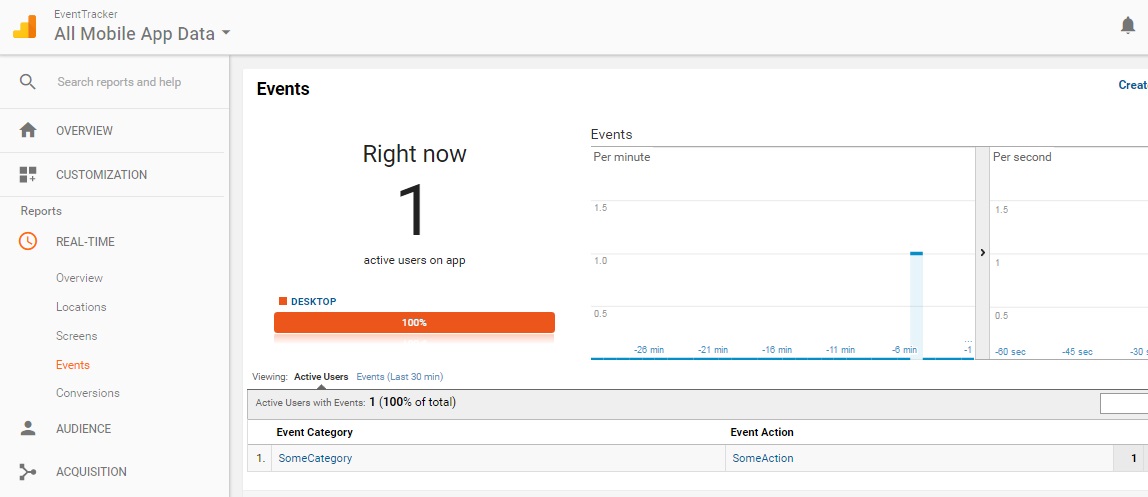
Google analytics is often associated with the recording and reporting of web page interactions, but it can easily be adapted to record user actions in a non-web desktop application too. This post helps you to get started, and assumes that you already have a Google account which you have used to create your own Analytics account.
Step 1: Create a new account
Log into Google Analytics and select ADMIN > ACCOUNT > Create new account.
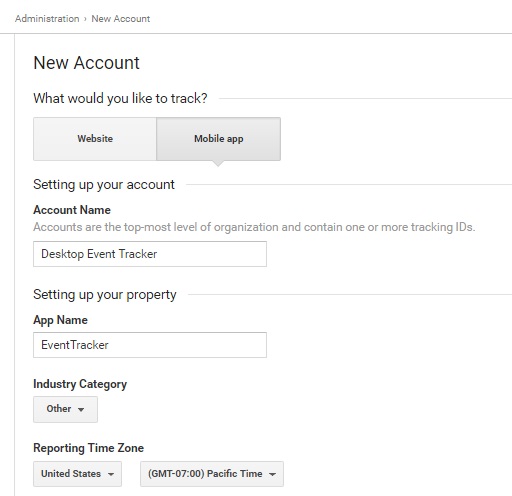
Set to a ‘Mobile’ application rather than ‘Website’.
Fill in the account details:
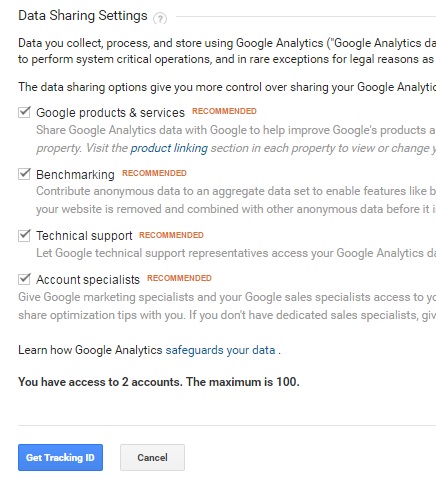
And then select ‘Get Tracking ID’ to get your unique Tracking ID:
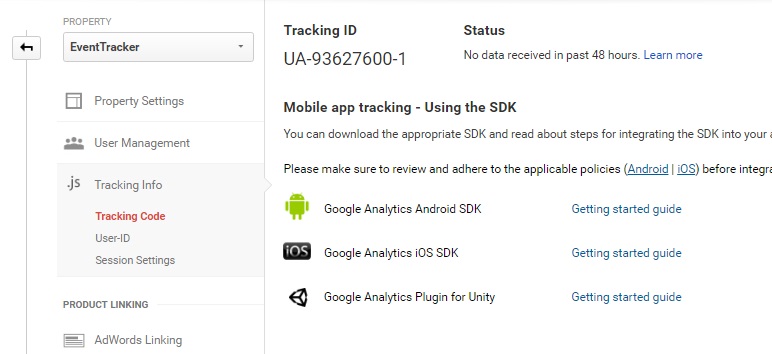
A new ‘EventTracker’ property is created with its own unique tracking ID is created as shown:
Step 2: Create a C# application to implement tracking APIs
For this I use that has already been created for us by ‘0liver’ over at GitHub.
https://gist.github.com/0liver/11229128
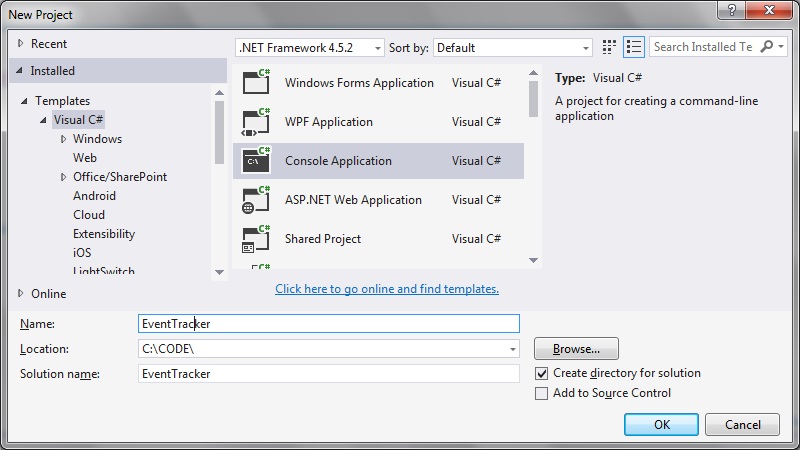
Create a new Console application:
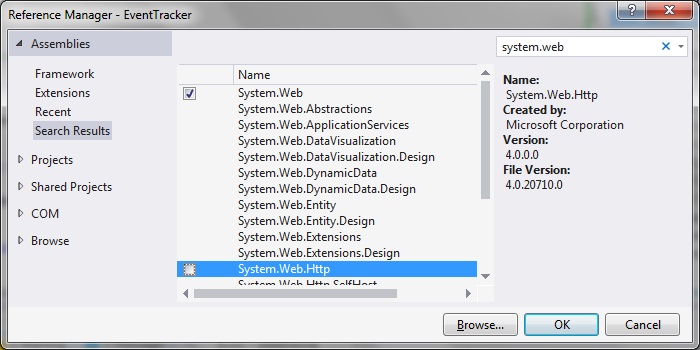
Be sure to add the ‘System.Web’ reference:
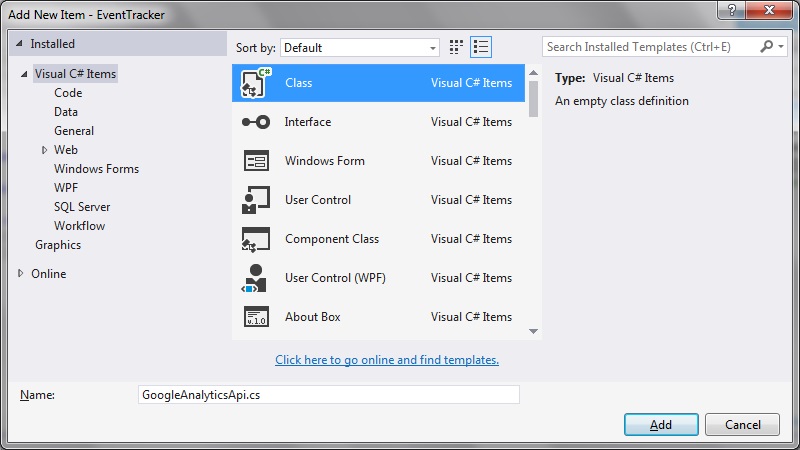
Step 3: Create a new ‘GoogleAnalyticsApi.cs’ class:
I use this class pretty much as-is in order to implement the tracking commands. I use the https protocol over http and I also implement it as a static class. And of course I use the Tracking ID that was created in the request portion of the POST command:
 // the request body we want to send
         var postData = new Dictionary<string, string>
                           {
                               { "v", "1" },
                               { "tid", "UA-93627600-1" },
                               { "cid", "555" },
                               { "t", type.ToString() },
                               { "ec", category },
                               { "ea", action },
So that the full code listing looks like this:
using System;
using System.Collections.Generic;
using System.IO;
using System.Linq;
using System.Net;
using System.Text;
using System.Web;

namespace EventTracker
{
   public static class GoogleAnalyticsApi
   {
      public static void TrackEvent(string category, string action, string label, int? value = null)
      {
         Track(HitType.@event, category, action, label, value);
      }

      public static void TrackPageview(string category, string action, string label, int? value = null)
      {
         Track(HitType.@pageview, category, action, label, value);
      }

      private static void Track(HitType type, string category, string action, string label,
                                int? value = null)
      {
         if (string.IsNullOrEmpty(category)) throw new ArgumentNullException("category");
         if (string.IsNullOrEmpty(action)) throw new ArgumentNullException("action");

         var request = (HttpWebRequest)WebRequest.Create("https://www.google-analytics.com/collect");
         request.Method = "POST";

         // the request body we want to send
         var postData = new Dictionary<string, string>
                           {
                               { "v", "1" },
                               { "tid", "UA-93627600-1" },
                               { "cid", "555" },
                               { "t", type.ToString() },
                               { "ec", category },
                               { "ea", action },
                           };
         if (!string.IsNullOrEmpty(label))
         {
            postData.Add("el", label);
         }
         if (value.HasValue)
         {
            postData.Add("ev", value.ToString());
         }

         var postDataString = postData
             .Aggregate("", (data, next) => string.Format("{0}&{1}={2}", data, next.Key,
                                                          HttpUtility.UrlEncode(next.Value)))
             .TrimEnd('&');

         // set the Content-Length header to the correct value
         request.ContentLength = Encoding.UTF8.GetByteCount(postDataString);

         // write the request body to the request
         using (var writer = new StreamWriter(request.GetRequestStream()))
         {
            writer.Write(postDataString);
         }

         try
         {
            var webResponse = (HttpWebResponse)request.GetResponse();
            if (webResponse.StatusCode != HttpStatusCode.OK)
            {
               throw new HttpException((int)webResponse.StatusCode,
                                       "Google Analytics tracking did not return OK 200");
            }
         }
         catch (Exception ex)
         {
            // do what you like here, we log to Elmah
            // ElmahLog.LogError(ex, "Google Analytics tracking failed");
         }
      }

      private enum HitType
      {
         // ReSharper disable InconsistentNaming
         @event,
         @pageview,
         // ReSharper restore InconsistentNaming
      }
   }
}
Step 4: Observe the event tracking in Analytics
In the debugger make sure the TrackEvent API gets executed.
In your Analytics account, navigate to REAL TIME > Events.
Note the updated event summary displayed in this page, as well as the category/action combination that we wished to record: